This project is scheduled for launch
Launch date: Friday, November 20, 2026 at 08:00 AM UTC
Scheduled
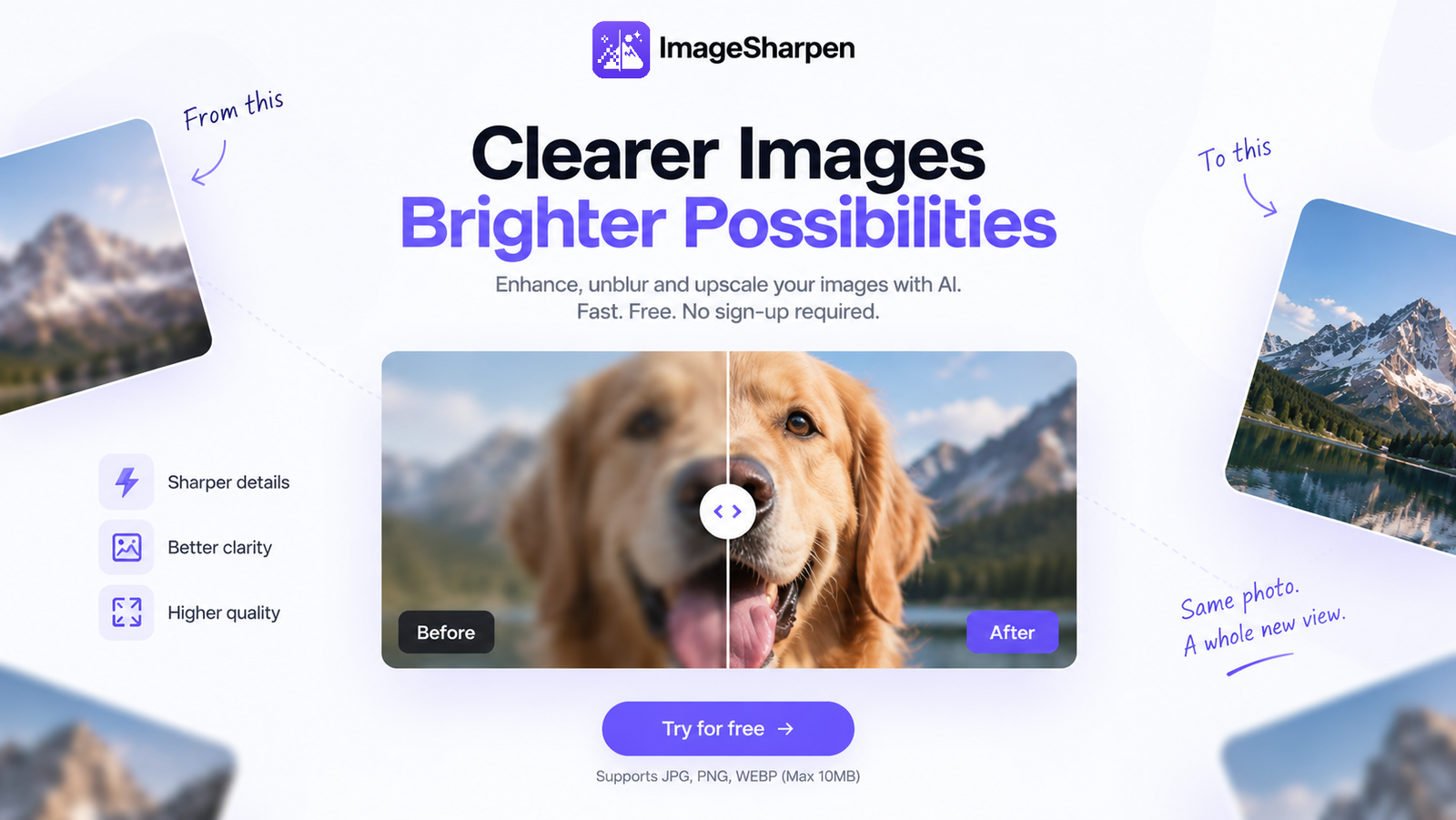
ImageSharpen is an intuitive AI-powered online tool designed to effortlessly enhance the quality of your images. It specializes in sharpening blurry photos, unblurring unclear visuals, and upscaling low-resolution pictures with precision. This SaaS is ideal for anyone seeking to quickly improve their digital images, from casual users to professionals, without the need for complex software or account registration.
Key Features:
Use Cases:
ImageSharpen is highly beneficial for various scenarios where image quality is compromised. Users can easily fix blurry portraits, improve compressed screenshots, or clarify old scanned photos, bringing lost details back to life in seconds. It serves as an excellent solution for enhancing images received through messaging apps or those taken in less-than-ideal conditions.
Furthermore, the tool excels at upscaling low-quality or pixelated images. Whether you have an old family photo or a small web image, ImageSharpen can boost its resolution and make it look cleaner and more professional, all while preserving natural details. It acts as an all-in-one AI photo enhancer, reducing blur and improving overall visual appeal for any purpose.
Pricing Information:
ImageSharpen operates on a freemium model, offering a generous Free Plan that allows users to sharpen up to 20 images per day without any cost or account creation. The platform does not explicitly detail paid tiers, but the daily limit suggests a freemium structure for extended or higher-volume usage.
User Experience and Support:
The platform boasts an exceptionally user-friendly interface, allowing users to simply 'drop image anywhere' to begin enhancement. The process is streamlined into three simple steps: upload, enhance, and download. It is fully accessible via web browsers on both desktop and mobile devices (iPhone and Android), eliminating the need for app downloads. Image processing is remarkably fast, typically taking only 10-15 seconds per image. While direct support channels aren't detailed, a comprehensive FAQ section addresses common queries.
Technical Details:
ImageSharpen leverages advanced AI algorithms to reconstruct actual missing detail in images, a significant departure from traditional sharpening methods that merely increase edge contrast. This AI-driven approach ensures more natural and cleaner results. The service supports popular image formats including JPG, PNG, and WEBP, with a maximum file size limit of 20MB per image.
Pros and Cons:
Conclusion:
ImageSharpen stands out as an accessible and highly efficient AI-powered solution for anyone looking to quickly improve the clarity, sharpness, and resolution of their digital images online. Its ease of use, combined with a robust free tier, makes it an excellent choice for instant and natural-looking photo enhancement. Explore ImageSharpen today to transform your blurry photos into crisp, clear visuals.
Key Features:
- 4x Image Enhancement and Resolution Boost
- AI-powered sharpening to restore clarity and detail naturally
- Instant unblurring of images online
- Free AI Image Upscaler that maintains quality
- No sign-up or software download required
- Supports JPG, PNG, WEBP files up to 20MB
Use Cases:
ImageSharpen is highly beneficial for various scenarios where image quality is compromised. Users can easily fix blurry portraits, improve compressed screenshots, or clarify old scanned photos, bringing lost details back to life in seconds. It serves as an excellent solution for enhancing images received through messaging apps or those taken in less-than-ideal conditions.
Furthermore, the tool excels at upscaling low-quality or pixelated images. Whether you have an old family photo or a small web image, ImageSharpen can boost its resolution and make it look cleaner and more professional, all while preserving natural details. It acts as an all-in-one AI photo enhancer, reducing blur and improving overall visual appeal for any purpose.
Pricing Information:
ImageSharpen operates on a freemium model, offering a generous Free Plan that allows users to sharpen up to 20 images per day without any cost or account creation. The platform does not explicitly detail paid tiers, but the daily limit suggests a freemium structure for extended or higher-volume usage.
User Experience and Support:
The platform boasts an exceptionally user-friendly interface, allowing users to simply 'drop image anywhere' to begin enhancement. The process is streamlined into three simple steps: upload, enhance, and download. It is fully accessible via web browsers on both desktop and mobile devices (iPhone and Android), eliminating the need for app downloads. Image processing is remarkably fast, typically taking only 10-15 seconds per image. While direct support channels aren't detailed, a comprehensive FAQ section addresses common queries.
Technical Details:
ImageSharpen leverages advanced AI algorithms to reconstruct actual missing detail in images, a significant departure from traditional sharpening methods that merely increase edge contrast. This AI-driven approach ensures more natural and cleaner results. The service supports popular image formats including JPG, PNG, and WEBP, with a maximum file size limit of 20MB per image.
Pros and Cons:
- Pros:
- Completely free for up to 20 images daily
- No account registration required
- AI-driven natural and high-quality results
- Fast processing times (10-15 seconds)
- Browser-based, works on desktop and mobile
- Supports common image formats (JPG, PNG, WEBP)
- Cons:
- Daily limit on free image enhancements
- Maximum file size limit of 20MB
- No explicit mention of advanced editing features beyond sharpening/upscaling
- Specific AI models or frameworks are not disclosed
Conclusion:
ImageSharpen stands out as an accessible and highly efficient AI-powered solution for anyone looking to quickly improve the clarity, sharpness, and resolution of their digital images online. Its ease of use, combined with a robust free tier, makes it an excellent choice for instant and natural-looking photo enhancement. Explore ImageSharpen today to transform your blurry photos into crisp, clear visuals.
Comments
Comments will be available once the project is launched.
Publisher

Launch Date2026-11-20
Platformweb
Pricingfreemium
Tech Stack
#web
Outbid
View🥇 🥈
🥈 🥉
🥉
Want this spot? Pay what you wantBest Launch Directories: launch directories with DR, traffic and pricing
Launch directories, product launch platforms and startup listing sites in one table, with Domain Rating by Ahrefs, traffic where known, pricing and link type for each.
$50
Boost Your Domain Rating — DoFollow Backlinks (DR 30–70) from $30
Raise your Ahrefs Domain Rating with 5 - 50 dofollow backlinks from DR 30–60 sites — from $50, guaranteed to improve your DR or your money back.
$45
DirEasy - The Best Directory Boilerplate with AI | DirEasy
The best directory boilerplate, packed with AI, Listings, Payment, Submission, CMS, Blog, Authentication, Newsletter, SEO and more.
$41