
Private Toolkit
Private Toolkit
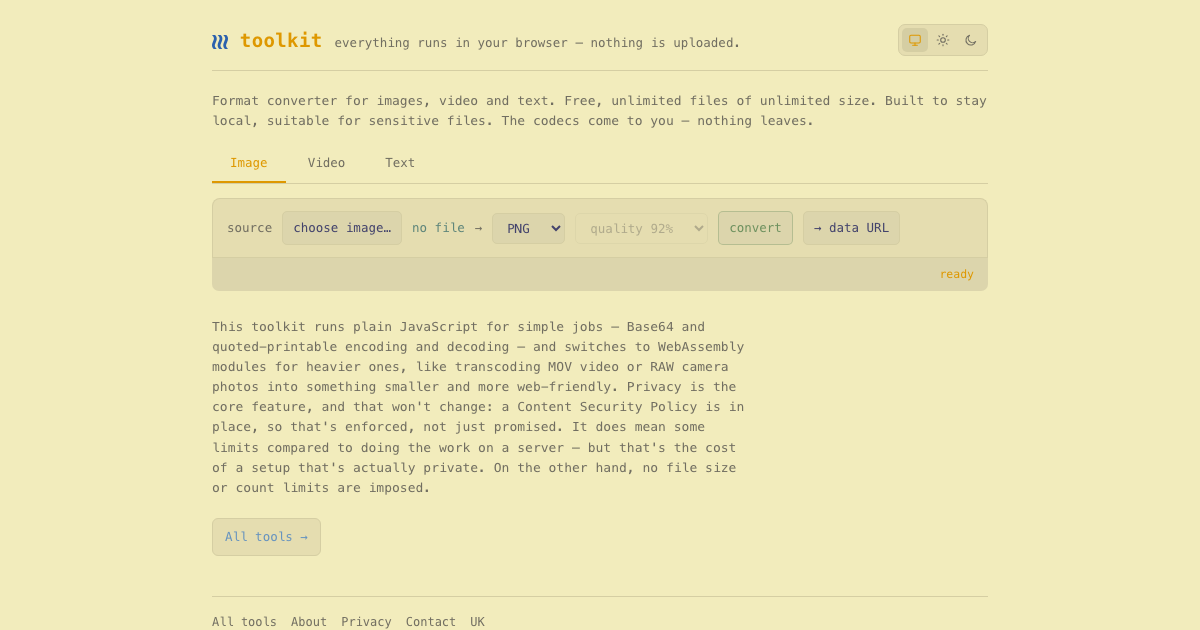
Introducing Private Toolkit, a revolutionary, privacy-first online toolkit designed for seamless, in-browser file conversions. This SaaS is perfect for individuals and businesses handling sensitive data who require robust format conversion capabilities without ever uploading their files to a server. It caters to anyone needing to convert images, videos, and text formats efficiently and securely, directly from their web browser.
Key Features
100% Browser-Based Processing: All operations occur locally in your browser; no data is ever uploaded, ensuring maximum privacy.
Free & Unlimited Usage: Enjoy unlimited file conversions without any restrictions on file count or size.
Comprehensive Format Conversion: Convert a wide array of images, video, and text formats, from simple Base64 to heavy MOV and RAW files.
Enhanced Privacy & Security: A strict Content Security Policy (CSP) enforces local processing, making it ideal for sensitive documents.
Smart Output Packaging: Results are collected into a single .zip file, automatically removing common artifacts like __MACOSX, .DS_Store, and Thumbs.db.
Auto-Format on Paste: Streamlined workflow with automatic formatting for pasted source content.
Use Cases
BrowserTools is an indispensable asset for professionals like photographers, videographers, writers, and anyone dealing with confidential information. Imagine a photographer needing to quickly convert a batch of RAW camera photos into web-friendly JPEGs or PNGs without risking their intellectual property on cloud servers. Or a legal professional who needs to convert sensitive document formats without violating client confidentiality. This tool provides the perfect solution, ensuring data remains on the user's device.
Furthermore, it's ideal for content creators and marketers who frequently need to optimize media for web use. Instead of relying on server-side tools that might have file size limits or privacy concerns, they can process large video files (e.g., MOV to MP4) or high-resolution images directly in their browser, making them smaller and more web-friendly. The ability to remove common system artifacts from the output .zip also simplifies sharing and deployment.
Pricing Information
BrowserTools is completely free to use, offering unlimited file conversions of any size without any hidden costs or subscription requirements. This commitment to accessibility ensures that advanced, private file processing is available to everyone.
User Experience and Support
Designed for simplicity, BrowserTools offers an intuitive interface with features like "auto-format on paste source" for a smooth user experience. While specific documentation or dedicated support channels aren't detailed, its browser-based, local operation implies a straightforward, self-contained utility that minimizes the need for extensive external support. The focus is on direct, efficient task execution.
Technical Details
The toolkit leverages plain JavaScript for lighter tasks, such as Base64 and quoted-printable encoding/decoding. For more demanding operations, like transcoding MOV video or processing RAW camera photos, it intelligently switches to high-performance WebAssembly modules. This hybrid approach ensures efficiency across a spectrum of tasks. A robust Content Security Policy (CSP) is implemented to strictly enforce the "nothing leaves" privacy promise, preventing any unauthorized data transmission.
Pros and Cons
Pros:
Unparalleled privacy: No uploads, all local processing.
Completely free with no file size or count limits.
Versatile format conversion for images, video, and text.
Efficient handling of both simple and heavy tasks via JavaScript/WebAssembly.
Automatic artifact removal from output .zip files.
Suitable for sensitive and confidential data.
Cons:
Performance might be limited by client-side browser capabilities for extremely intensive tasks (though WebAssembly mitigates this significantly).
Lacks advanced editing features beyond conversion.
No explicit mention of offline functionality after initial load (though implied by "runs in browser").
No dedicated support or extensive documentation mentioned.
Conclusion
Private Toolkit stands out as an essential, privacy-centric online utility for anyone requiring secure and efficient file format conversions. Its commitment to local processing, combined with unlimited, free usage, makes it an invaluable tool for safeguarding sensitive information while streamlining workflows. Explore Private Toolkit today for a truly private and powerful conversion experience.
Comments
Publisher

Launch Date2026-08-23
Platformweb
Pricingfree
Tech Stack
#js#wasm
Outbid
View🥇 🥈
🥈 🥉
🥉
Want this spot? Pay what you wantBoost Domain Rating - Boost Domain Rating is a platform to discover and upvote the best tech products. Find top products launching daily.
Boost Domain Rating is a platform to discover and upvote the best tech products. Find top products launching daily.
$35
DirEasy - The Best Directory Boilerplate with AI | DirEasy
The best directory boilerplate, packed with AI, Listings, Payment, Submission, CMS, Blog, Authentication, Newsletter, SEO and more.
$30
Quiz Shot - Solve Any Screenshot Question in Seconds.
AI Study Assistant that answers any screenshot question. Get free AI tutor and step-by-step math and homework help with ChatGPT.
$25